


Introduction
This project describes a Raspberry Pi - time-lapse setup for the ARES beam line building project at DESY.
Installation:
git clone http://inetsrv.no-ip.org:3000/mwio/time-lapse_ARES_DESY.git
ARES project setup status
Part I:
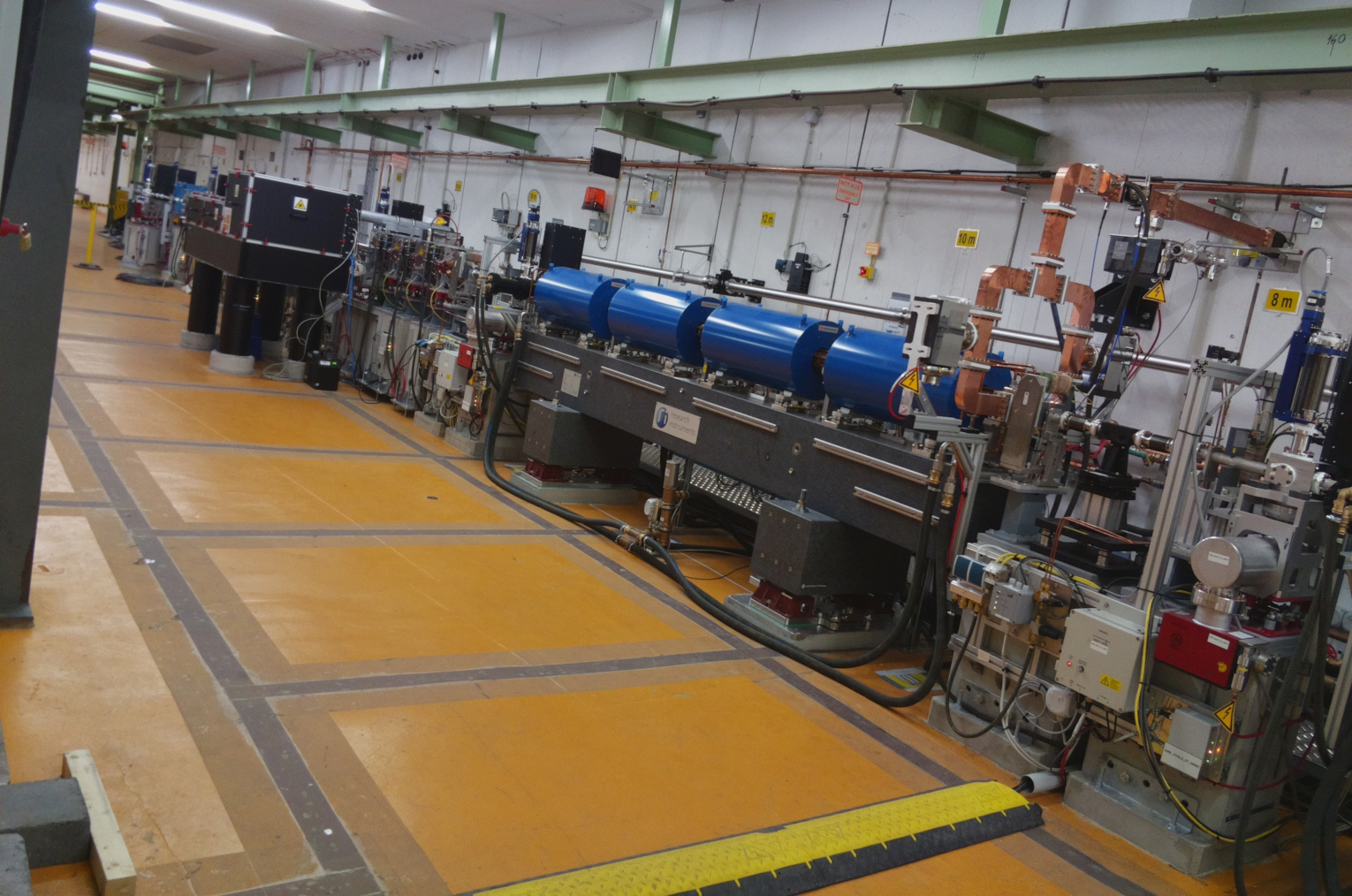
Part II:

Raspberry Pi Setup:
- Raspberry Pi ... Model
- Raspberry Pi Gehäuse
- Camera Module (standard version)
- 16GB Samsung Pro microSDHC I Karte
Installation des Betriebsystems auf dem Raspberry Pi:
Introduction: Installing operating system images on the Raspberry Pi

Cronjob
Introduction: Crontab Syntax und Tutorial in Linux
Crontab Syntax:
◦ ◦ ◦ ◦ ◦ auszuführender Befehl
┬ ┬ ┬ ┬ ┬
│ │ │ │ │
│ │ │ │ └──── Wochentag (0-7, Sonntag ist 0 oder 7)
│ │ │ └────── Monat (1-12)
│ │ └──────── Tag (1-31)
│ └────────── Stunde (0-23)
└──────────── Minute (0-59)
1) Used code for the ARES-time-lapse-crontab - Playing audio Message:
59 14 * * * /time-lapse_ARES_DESY/src/ARES_FotoText.wav
Jeden Tag um 14:59 Uhr wird das Audiofile "ARES_FotoText.wav" abgespielt.
2) Used code for the ARES-time-lapse-crontab - Taking a photo:
* 15 * * * /time-lapse_ARES_DESY/src/ARES_...sh
Jeden Tag um 15:00 Uhr, wird die Datei "ARES_...sh" abgespielt, um ein Foto zu schießen.
ToDo's
- Add the right Cronjob file and description.