# Table of Contents 1. [Requirements](#org4ef3068) 2. [Preamble](#org5057cfc) 3. [Text](#org38fc526) 1. [Headline](#orgd7aec77) 2. [Formatting](#org45bd66e) 3. [Line break](#org4c59219) 4. [Color](#orgc65280f) 5. [Glyphs & More](#orge4f0791) 6. [Makros](#org2d382d6) 4. [Links](#orgd461620) 5. [Rule](#orgd2864d8) 6. [Blocks](#orge509350) 1. [Lists](#org7a757d0) 2. [Tables, Figures, Listings](#org6a67108) 3. [Tables](#org1aec460) 1. [Alignment and Bookstab style](#orgb0eb069) 2. [Alignment](#org56a805e) 3. [Fixed width / multi-line cells](#org7d1ce47) 4. [Multi-page table / longtable](#org7196622) 5. [Number alignment](#org15b4bfd) 6. [Custom caption command for LaTeX](#org04ba224) 7. [Overlay using tikz](#org4cee948) 8. [From Python src block output](#org65c531b) 4. [Figures](#orgc31a623) 1. [file svg](#orgc7b3cb4) 2. [file png](#orgcff0d65) 3. [latex using tikz with data file](#orgc7679b4) 4. [python using matplotlib](#org652ad40) 5. [dot graphviz](#org9912238) 5. [Example / Verbatim](#orgfefe34c) 6. [Source](#org3a33e67) 7. [Math](#orgfdf528c) 1. [Symbols and Functions](#org87778fa) 1. [Quotation, Fraction](#org898036b) 2. [Units](#orga1efd2d) 3. [Fields](#org5aff887) 4. [Functions](#org4909920) 5. [Operators](#org42b3c8d) 6. [Others](#org5c23188) 7. [Tensor](#org1633eb6) 2. [Equation](#org0ff7fd8) 3. [Matrix](#org4dfe99b) 8. [Glossary and Acronym and References](#org3d43a21) 1. [Glossary](#org1c7eefb) 2. [Acronym](#orgb013133) 3. [References](#org49df23a) 9. [LaTeX](#orgf649abc) 10. [Examples](#org7f3208b) 1. [Org table to data file](#org4b4a7d1) 2. [Data file to Org table](#org88bd729) If exporting only a subtree; the heading will be the document title if not overwritten by the property `EXPORT_TITLE`. Inside emacs org use `org-ref-list-of-tables` and `org-ref-list-of-figures` to open a list of tables or figures. # Requirements `latexmk`: for glossary and acronym add the following to `~/.config/latexmk/latexmkrc` add_cus_dep( 'acn', 'acr', 0, 'makeglossaries' ); add_cus_dep( 'glo', 'gls', 0, 'makeglossaries' ); $clean_ext .= " acr acn alg glo gls glg"; sub makeglossaries { my ($base_name, $path) = fileparse( $_[0] ); my @args = ( "-q", "-d", $path, $base_name ); if ($silent) { unshift @args, "-q"; } return system "makeglossaries", "-d", $path, $base_name; } add_cus_dep('glo', 'gls', 0, 'makeglo2gls'); sub makeglo2gls { system("makeindex -s '$_[0]'.ist -t '$_[0]'.glg -o '$_[0]'.gls '$_[0]'.glo"); } add_cus_dep('acn', 'acr', 0, 'makeacn2acr'); sub makeacn2acr { system("makeindex -s \"$_[0].ist\" -t \"$_[0].alg\" -o \"$_[0].acr\" \"$_[0].acn\""); } # Preamble The preamble is defined by Org-keywords. First line of the file can be used to define the spelling language of the document. # -*- ispell-local-dictionary: "english" -*- # -*- ispell-local-dictionary: "german" -*- The title (also used in pdf metadata field) #+TITLE: The title The subtitle #+SUBTITLE: The subtitle The date #+DATE: May 16, 2022 #+DATE: \today Author(s) (also used in pdf metadata field) #+AUTHOR: Max Muster #+AUTHOR: Max Muster and Maxi Muster #+AUTHOR: Max Muster, Maxi Muster Email(s) #+EMAIL: max.muster@example.com #+EMAIL: max.muster@example.com and maxi.muster@example.com #+EMAIL: max.muster@example.com, maxi.muster@example.com Keywords (also used in pdf metadata field) #+KEYWORDS: manual, examples Export options # draft:t - display a block at the end of a line, which is too long (indication bad line break) # fontsize:"12pt" - set fontsize to 12pt (default: 11pt) #+OPTIONS: draft:t fontsize:"12pt" Language (en default) #+LANGUAGE: en #+LANGUAGE: de Description (also used in pdf metadata field: subject). Keyword can be used multiple times to extend the description. #+DESCRIPTION: Multiline #+DESCRIPTION: description Type of the document. (The abstract template uses or can reference to the keyword variable ’document\_type’ via the macro ’title-name’) #+DOCUMENT_TYPE: Seminararbeit Overwrite references setup #+BIBLATEX: \usepackage[backend=biber,citestyle=alphabetic,bibstyle=authoryear,sorting=nyt,sortcase=false]{biblatex}\setlength{\bibhang}{0pt}\addbibresource{references.bib} Additional peamble setup #+LATEX_HEADER_EXTRA: \usepackage{layout} # Text ## Headline * 1st level heading ** this is 2nd level heading *** this is 3rd level heading To have a headline in Org but not in an export set the header tag `:ignore:`. * Header not listed in toc but its content :ignore: bla bla bla To have a headline with its content in Org but not in an export set the header tag `:noexport:`. * Section not exported :noexport: bla bla bla, this will not be exported To have a headline unnumbered in the table of contents set the header property `:UNNUMBERED: t`. * Header listed unnumbered :PROPERTIES: :UNNUMBERED: t :END: bla bla bla To have a headline in a LaTeX export started on a new page use the header property `:CLEARPAGE: t`. * Section will start on a clear page (LaTeX) :PROPERTIES: :CLEARPAGE: t :END: bla bla bla ## Formatting *bold* /italic/ _underlined_ =verbatim= ~code~ +strike-through+ X_{subscript} X^{superscript} ## Line break Hello, \\ (enforce line break within a paragraph) World. ## Color - via link-decorator : [colored text in orange](#c09000) - via makro : colored text in darkblue ## Glyphs & More - in text - `\LaTeX{}` LaTeX (do not miss the brackets to get an whitespace after) - `\euro{}` € - `\leftarrow` ← - `\rightarrow` → - `\uparrow` ↑ - `\downarrow` ↓ - in math - `\ho{}` (hochstellen) for math mode similar to `^{}` but sets roman font - `\ti{}` (tiefstellen) for math mode similar to `_{}` but sets roman font - `\rom{3}` iii - `\Rom{3}` III ## Makros Active Org macros (`org-macro-templates`): - Org built-ins (see ) - **`{{{title}}}`:** The title - **`{{{author}}}`:** Max Muster Max Muster and Maxi Muster Max Muster, Maxi Muster - **`{{{email}}}`:** max.muster@example.com - **`{{{date}}}`:** May 16, 2022 - **`{{{time(FORMAT)}}}`:** Mar : format see function `format-time-string` - **`{{{input-file}}}`:** my-org-article.org - **`{{{modification-time(FORMAT[,VC])}}}`:** 2024-03-05 Tue 11:06:17 : vc is a toogle (nil,t) to retrieve the time from version control system - **`{{{keyword(KEYWORD)}}}`:** The subtitle - **`{{{property(PROPERTY-NAME[,LOCATION])}}}`:** optional location see function `org-link-search` () - **`{{{n}}}` `{{{n(COUNTER[,ACTION])}}}`:** 1 1 1 5 6 1 : increment counter name, if optional action is ’-’ do not increment, if number set to number, if somthing else reset to 1 - custom - **`{{{textsc(text)}}}`:** Gauß - **`{{{color(hex,text)}}}`:** text - **`{{{kbd(text)}}}`:** text - **`{{{highlight(text[,options])}}}`:** text highlighted in default color, text highlighted in red, text highlighted in green and blue borders # Links [[http://example.com/]] [[http://example.com/][description]] # Rule a horizontal rule, 5 or more only dashes --- # Blocks Easy Templates (enter ` ## Lists Org reference: Inline list: Some ways to say “Hello”: - Hola - Bonjour - Guten Tag. Unordered list - One - Two - Three - Four - Four 2 - Four 3 Ordered list 1. One 2. Two 1. Two one 2. Two two 1. Two two one 2. Two two two 1. Two two two one 20. Test 21. foo 22. baz List with custom item spacing - One - Two - Three - Four - Five Description list - **an item:** a description ## Tables, Figures, Listings \#+CAPTION[Optional short version for the lot, lof, lol]: Caption of the table, figure or listing ## Tables Default tables having a placement atrribute set to `[htbp]` (still allows to find a sweet spot). For a ’here in place’ placement use `:placement [h]` (approximately at the same point) `:placement [H]` (precisely at point, will deactivate settings from the `float` package, similar to `[h!]`) Org reference: Alignment using column type `#+ATTR_LATEX: :align xxx` - built-in - l: left-aligned cells - c: center-aligned cells - r: right-aligned cells - p{width}: top-aligned cells with fixed width - m{width}: middle-aligned cells with fixed width - b{width}: bottom-aligned cells with fixed width - >{declaration}: pre-column-declaration, used before lcrpmb - <{declaration}: post-column-type declaration, user after lcrpmb - @{text}: column containing the text in every cell of the column - custom - L{width}: left-aligned cells with fixed width - C{width}: center-aligned cells with fixed width - R{width}: right-aligned cells with fixed width ### Alignment and Bookstab style
Table 1: Table using bookstab and align
right center left
A1 A2 A2
B1.1 B2.1 B3.1
C1.1.1 C2.1.1 C3.1.1
### Alignment
Table 2: Table using align
right center left
A1 A2 A3
B1.1 B2.1 B3.1
C1.1.1 C2.1.1 C3.1.1
### Fixed width / multi-line cells Multi-line cells with fixed width cells using `pmbLCR` and forced newline using `\newline`.
Table 3: Table using #+ATTR_LATEX: :align rC{0.6\textwidth}l and \newline
right center left
A1 A2 A3
B1.1 Lorem ipsum dolor sit amet, consectetur adipiscing elit, sed do eiusmod tempor incididunt ut labore et dolore magna aliqua.\newline Ut enim ad minim veniam, quis nostrud exercitation ullamco laboris nisi ut aliquip ex ea commodo consequat. Duis aute irure dolor in reprehenderit in voluptate velit esse cillum dolore eu fugiat nulla pariatur. Excepteur sint occaecat cupidatat non proident, sunt in culpa qui officia deserunt mollit anim id est laborum. B3.1
C1.1.1 C2.1.1 C3.1.1
### Multi-page table / longtable
Table 4: Longtable
3.456
2,842
### Number alignment Alignment of numbers (numprint) using column type n (numbers in math) and N (numbers in text)
Table 5: Table using column type n and N
n{5}{3} n[3]{5}{3} n[3][1]{5}{3} N{5}{3}
123.45e12 123.45e12 123.45e12 123.45e12
12345.678e123 12345.678e123 12345.678e123 12345.678e123
123.45e12.3 123.45e12.3 123.45e12.3 123.45e12.3
12345.678e123.3 12345.678e123.3 12345.678e123.3 12345.678e123.3
### Custom caption command for LaTeX Set caption with \LaTeX{} command
### Overlay using tikz
Table 6: Table with tikz overlay
  1, 2, 7 3 4, 6 5 ← Oberseite
Schicht 8, 13, 14 12 9, 11 10 ← Unterseite
1 \tikzmark{LAa}Gelcoat \tikzmark{LAc}Gelcoat \tikzmark{LAe}Gelcoat \tikzmark{LAg}Gelcoat \tikzmark{LAi}Saertex(DB)
2 SNL(Triax) SNL(Triax) SNL(Triax) SNL(Triax) FOAM
3 SNL(Triax) SNL(Triax) SNL(Triax) SNL(Triax) \tikzmark{LAj}Saertex(DB)
4 \tikzmark{LAb}SNL(Triax) E-LT-5500(UD) FOAM Carbon(UD)  
5   FOAM \tikzmark{LAf}SNL(Triax) \tikzmark{LAh}SNL(Triax) \(\uparrow\) Längsver-
6   \tikzmark{LAd}SNL(Triax)     \phantom{\(\uparrow\)} steifungen
![img](./img/table-overlay-tikz.png) ### From Python src block output
b foo
\(R^{2}\) 1.363
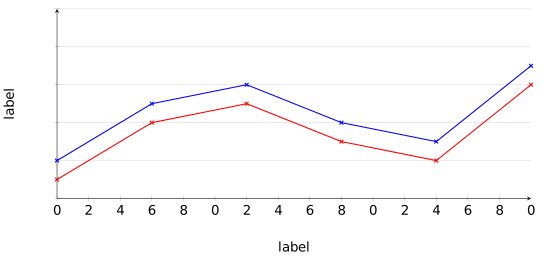
## Figures ### file svg ![img](img/emacs.svg "svg figure") See figure as a reference. ### file png ![img](img/emacs.png "png figure") ### latex using tikz with data file file path to data file need to be an absolute path, bacause the compilation is done in a tmp directory (`/tmp/babel-XXXXXX/`).
figure-tikz.svg
### python using matplotlib SRC block header `:prologue (mpl-prologue)` for non-latex exports (.svg exports) to loads my.mplstyle including kpfonts. Other style via optional argument, e.g. `:prologue (mpl-prologue "my-tex")` rendering via latex including kpfonts. SRC block header `:var fname=(mpl-var "")` to export figure as .pgf for latex and .svg otherwise, like HTML. 1. using my.mplstyle Python matplotlib figure using matplotlib `my`. The style `my` renders without LaTeX but using the kpfonts. import math as m import matplotlib as mpl n = 30 t = [i/n*m.pi for i in range(n+1)] fig, ax = plt.subplots() [ax.plot(t, [m.sin(i+j/12*m.pi) for i in t], color=f'C{j}', label=f'$C_{j}$') for j in range(10)] ax.legend() ax.set_title(r'Functions: $\sin(x + \pi \, i/12)$') ax.set_xlabel(r'$x ~ \times \pi$') ax.set_ylabel('$y$') ax.set_xticks([0, m.pi/4, m.pi/2, m.pi*3/4, m.pi]) ax.set_xticklabels([0.00, 0.25, 0.50, 0.75, 1.00]) ax.xaxis.set_minor_locator(mpl.ticker.AutoMinorLocator(3)) ax.grid() ax.grid(which='minor', linestyle=':') fig.savefig(fname) plt.close() print(fname, end='') 2. using my-tex.mplstyle Python matplotlib figure using matplotlib `my-tex`. The style `my-tex` renders with LaTeX and uses the kpfonts. import math as m import matplotlib as mpl n = 30 t = [i/n*m.pi for i in range(n+1)] fig, ax = plt.subplots() [ax.plot(t, [m.sin(i+j/12*m.pi) for i in t], color=f'C{j}', label=f'$C_{j}$') for j in range(10)] ax.legend() ax.set_title(r'Functions: $\sin(x + \pi \, i/12)$') ax.set_xlabel(r'$x ~ \times \pi$') ax.set_ylabel('$y$') ax.set_xticks([0, m.pi/4, m.pi/2, m.pi*3/4, m.pi]) ax.set_xticklabels([0.00, 0.25, 0.50, 0.75, 1.00]) ax.xaxis.set_minor_locator(mpl.ticker.AutoMinorLocator(3)) ax.grid() ax.grid(which='minor', linestyle=':') fig.savefig(fname) plt.close() print(fname, end='') ### dot graphviz ![img](img/figure-dot.png) ## Example / Verbatim verbatime example or using `:` (start the example lines with a colon followed by a space.) a single line example can be indented ## Source string = 'hello' + ', world' + !*3 # comment print(string) # Math ## Symbols and Functions ### Quotation, Fraction - \[\underbracket[1pt][0pt]{bla}_\text{blo}\] - \[\Dfrac{3}{7}\] - \[\slfrac{3}{7}\] - \[\sfrac{3}{7}\] - \[\nicefrac{3}{7}\] - \[\faktor{3}{7}\] - \[\Faktor{3}{7}\] ### Units - \(\unit{123.45}{\milli\meter}\) ### Fields - \(\field{X}\) : field - \(\fA{}\) : Affine field - \(\fC\) : Complex field - \(\fFp\) : Finite field - \(\fFq\) : Finite field - \(\fGa\) : Group scheme - \(\fK\) : Generic field (Körper) - \(\fN\) : Natural numbers - \(\fPj\) : Projective field - \(\fR\) : Real numbers - \(\fQ\) : Rational numbers - \(\fI\) : Irrational numbers - \(\fZ\) : Integers - \(\Def\) : Domain of a function D (Definitionsbereich) - \(\LM\) : Solution set L (Lösungsmenge) ### Functions - \(\sins\) : Short sin - \(\coss\) : Short cos ### Operators - \(\norm{x}\) : ||x|| - \(\abs{x}\) : |x| - \(\innerProd{x}{y}\) : - \(\Bild U\) : Map of a function (mapping, transformation) - \(\rank U\) : Rank of a matrix - \(\tr U\) : Matrix trace - \(\dev U\) : Matrix deviation - \(\var U\) : Variance - \(\grad U\) : Gradiant - \(\divergence U\) : Divergence div - \(\rot U\) : Rotation - \(\diag U\) : Diagonal matrix - \(\adj\) : Adjoint operator H - \(\adjugate U\) : Classical adjoint adj (adjugate) - \(()^\T\) : Transpose operator ### Others - \(\corresponds\) : equal sign with a hat - \(\dt{u}\) : dot above symbol (time derivative) - \(\ddt{u}\) : two dots above symbol (time derivative) - \(\Eval{a}{b}{c}\) : evaluation limits a|_b^c - \(\fdg\) : 'für die gilt' | (vertical bar) - \(\E\) : E - \(\qed\) : Q.E.D. quod erat demonstrandum "what was to be shown" -> "which was to be demonstrated" - \(\euler\) : Euler e - \(\deg\) : Degree ° - \(\degC\) : °C - \(\TF\) : sign for transfomed values: low tilde - \(\dif\) : d ### Tensor - \(\tensor{U}\) : general bold, no further decoration - \(\tensorI{U}\) : underline - \(\tensorII{U}\) : two underlines - \(\tensorIII{U}\) : tilde 3 below symbol - \(\tensorIV{U}\) : tilde 4 below symbol - \(\tensori{U}\) : harpoon right - \(\tensorii{U}\) : harpoon right and left - \(\tensoriii{U}\) : arrow right and harpoon left - \(\tensoriv{U}\) : arrow right and left ## Equation named equation: \begin{equation} \label{org823582d} e^x = 4 \end{equation} And refer to Eq. in document. ## Matrix Create math matrix objects with org tables
a b
c d
1 2
3 4
# Glossary and Acronym and References ## Glossary See command `org-ref-glossary-gls-commands` and use `org-ref-insert-glossary-link` to insert a link with completion (`C-c C-l`). Use a glossary entry using - only link location tree or shrub - link location and description shrub, the description is only visible in Org - not recommended latex command \gls{tree}
Table 7: Glossary types
gls The term associated with the label
glspl The plural term
Gls The capitalized term
Glspl The plural capitalized term
glssymbol The symbol defined (only with latex definition)
Glssymbol The capitalized symbol defined (only with latex definition)
glsdesc The description associated with the label
Glsdesc The capitalized description associated with the label
## Acronym See command `org-ref-acronym-types` and use `org-ref-insert-acronym-link` to insert a link with completion (`C-c C-l`). Use a acronyms entry using - only link location BB - link location and description BB QOS
Table 8: Acronym types
acrshort The acronym for label
acrshortpl The acronym for label in plural
Acrshort Capitalized acronym
Acrshortpl Plural capitalized acronym
ACRshort ALL-CAPS acronym
ACRshortpl ALL-CAPS plural acronym
acrlong The label definition
acrlongpl The plural definition
Acrlong Capitalized definition
Acrlongpl Plural capitalized definition
ACRlong ALL-CAPS definition
ACRlongpl plural ALL-CAPS definition
acrfull Both the acronym and its definition
acrfullpl Both the acronym and its definition in plural
Acrfull Capitalized both the acronym and its definition
Acrfullpl Capitalized both the acronym and its definition in plural
ACRfull Both the acronym and its definition in ALL-CAPS
ACRfullpl Both the acronym and its definition in plurall ALL-CAPS
## References check regarding the style defined in the preamble biber --validate-datamodel this only checks the bib with default style biber --tool --validate-datamodel .bib Insert cite entry with (`C-c C-l`).
Table 9: org-ref-biblatex-types
Cite basic citation with capitalization
parencite similar to cite with parentheses
Parencite similar to cite with parentheses and capitalization
footcite Put the citation in a footnote
footcitetext Put the citation in a footnote using \footnotetext
textcite print the authors or editors as a subject of the sentence
Textcite print the authors or editors as a subject of the sentence with capitalization
smartcite like parencite in a footnote, and footcite in the body
Smartcite like parencite in a footnote, and footcite in the body with capitalization
cite “similar to cite, but prints the year or title
parencite “similar to parencite, but prints the year or title
supercite superscripted numeric citation (only in numberic styles)
autocite handles some punctuation nuances
Autocite handles some punctuation nuances with punctuation
autocite “same as autocite but * is passed to the backend
Autocite “same as Autocite but * is passed to the backend
citetitle the shorttitle or title field
citetitle “the full title
citeyear the year field
citeyear “the year field and extradate information if available
citedate the full date or year
citedate “the full date or year, including extradate information if available
citeurl the url field
fullcite create a full citation similar to what is in the bibliography
footfullcite create a full citation as a footnote
notecite print prenote and postnote, but no citation
Notecite print prenote and postnote, but no citation with capitalization
pnotecite similar to notecite with parentheses
Pnotecite similar to Notecite with parentheses
fnotecite similar to notecite in a footnote
Table 10: org-ref-biblatex-multitypes
cites multicite version of cite
Cites multicite version of Cite
parencites multicite version of parencite
Parencites multicite version of Parencite
footcites multicite version of footcite
footcitetexts multicite version of footcitetext
smartcites multicite version of smartcite
Smartcites multicite version of Smartcite
textcites multicite version of textcite
Textcites multicite version of Textcite
supercites multicite version of supercite
autocites multicite version of autocite
Autocites multicite version of Autocite
Example: See reference \cite{manual} (will be [1]) or \cite{article,book} (will be [2,3]) and \cite{article,book,manual} (will be [1-3]). # LaTeX Current setup uses the lualatex compiler. packages - general - fontenc - hyperref - kpfonts - luainputenc - xurl - text and glyphs - eurosym - menukeys - xcolor - math - faktor - madthds - mathtools - MnSymbol - nicefrac - SIunits - xfrac - lists - enumitem - tables, figures and listings - float - caption - tables - booktabs - longtable - numprint - array - figures - svg - tikz - gnuplot-lua-tikz - pgfplots - listings - listingsutf8 - glossaries - pdf - pdfpages - pdflscape # Examples ## Org table to data file
0 1 1
1 2 4
2 3 5
3 4 9
with open("data.dat", "w") as f: f.write("\n".join([" ".join(list(map(str, i))) for i in data])) ## Data file to Org table with open("data.dat", "r") as f: data = f.read() return data
0 1 1
1 2 4
2 3 5
3 4 9